Administrator MFA
Every administrator account can carry a second factor. The factor is an RFC 6238 TOTP code: SHA-1, six digits, a 30-second step, a tolerance of ±1 step and replay protection.
How a sign-in works
- The password step verifies the password.
- If the account has a confirmed factor, a second step asks for the current code. No session is created before the factor is verified; authenticated pages stay unreachable.
- With
MFA_MODE=enforce, an account without a factor is routed to enrolment instead of receiving a session. The session exists only after the first factor is confirmed.
In other words, the effective order is always:
password -> [enrolment when enforced and no factor yet] -> [second factor] -> session
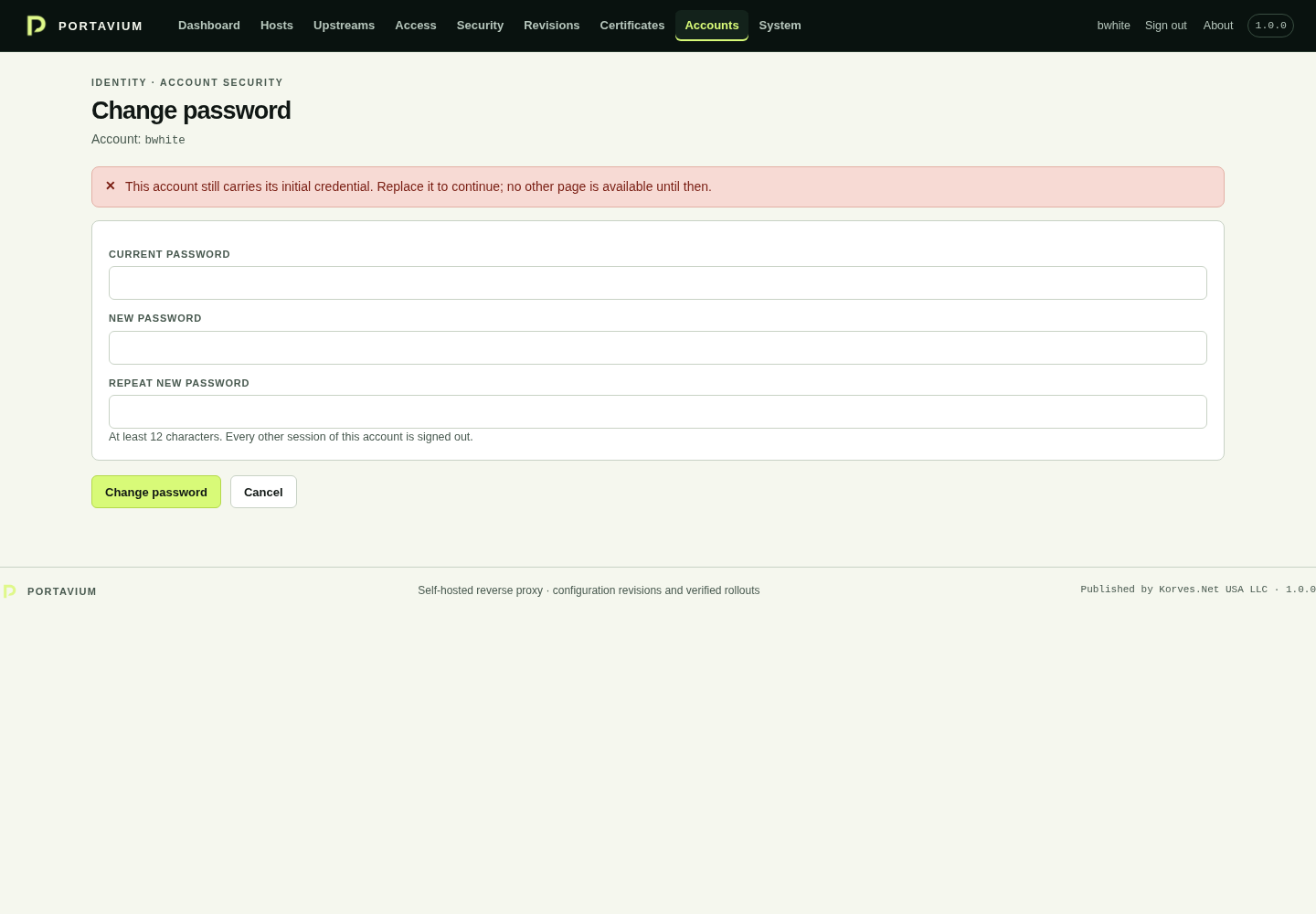
This holds for the bootstrap administrator and for an account created in the WebUI. The only difference between them is what comes after the session: an account created with an initial credential is redirected to Change password before any other page is reachable, while the bootstrap account signs in normally and should have its password rotated by the operator (see A new account).
Settings in config/controller.env:
| Setting | Default | Meaning |
|---|---|---|
MFA_MODE | empty | enforce requires every administrator to enrol a factor and refuses a password-only session for an account that has none. |
MFA_ISSUER | PORTAVIUM | The issuer label shown by the authenticator application. |
Enrolment
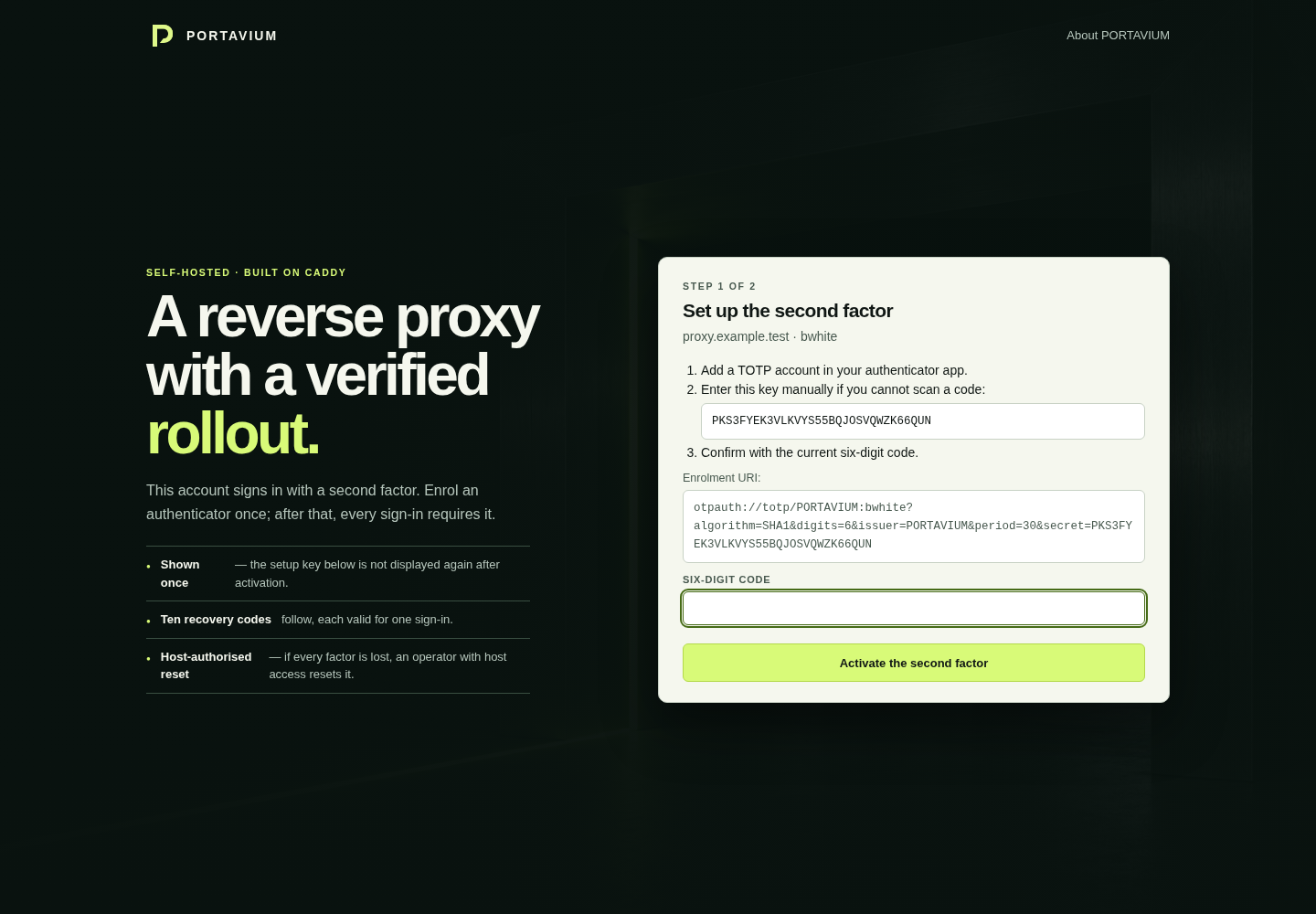
An administrator without a factor sees enrolment after the password step:
- The secret is displayed as a scannable code and as text.
- Enter the current six-digit code to confirm the factor.
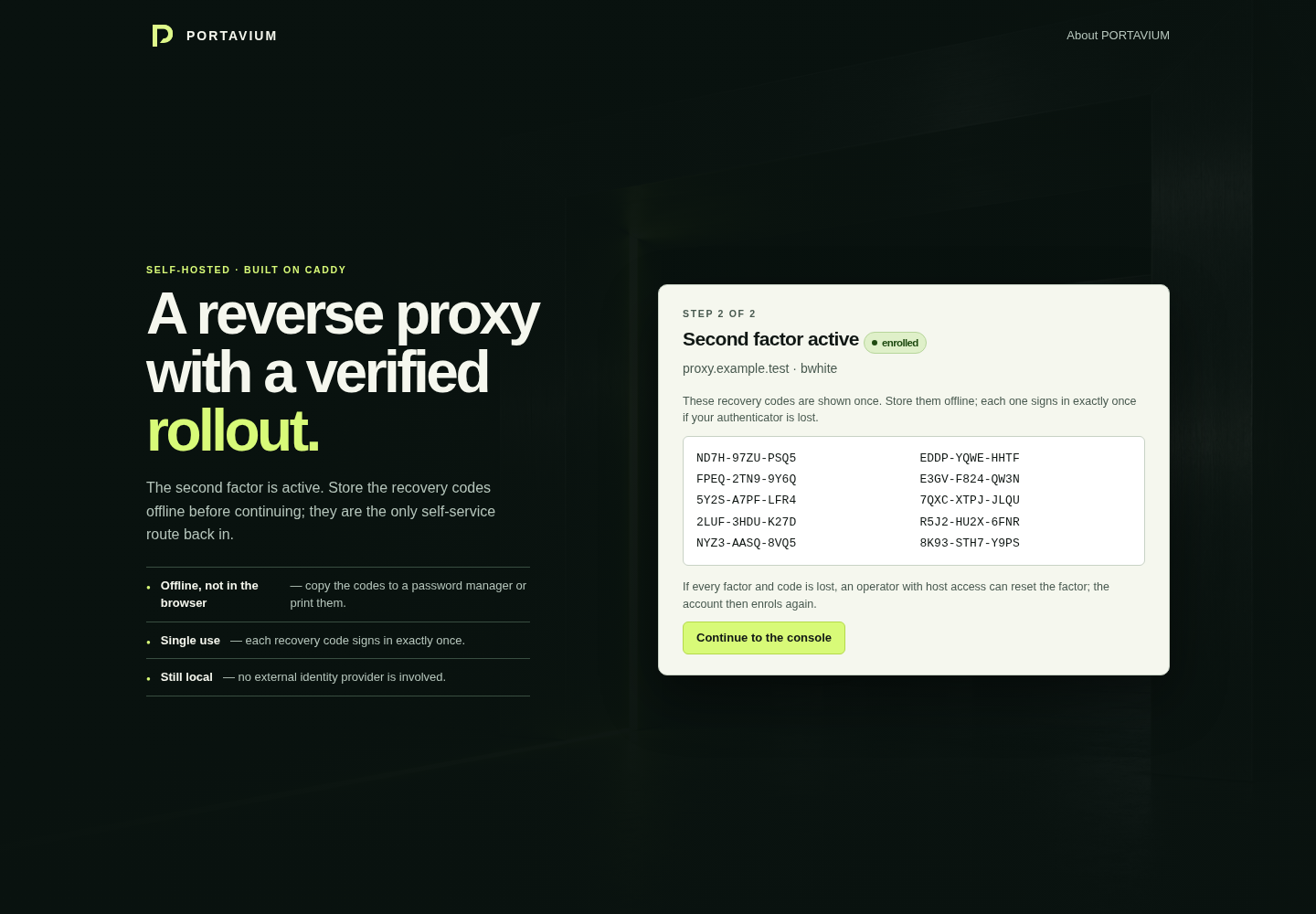
- The ten recovery codes are shown once. Store them somewhere separate from the authenticator device.
- Continue to the console. If the account still uses its initial credential, the password-change page is the only page it can reach until the password is replaced.
A new account
An account created under Accounts → Create administrator receives a generated initial credential that is shown once. Its first sign-in is:
- username and initial credential;
- enrolment (when
MFA_MODE=enforce); - recovery codes;
- Change password — forced, and no other page is reachable until it is done.
The bootstrap admin account is created before any administrator exists, so it is not
created with an initial-credential flag. Rotate its password immediately after the first
sign-in and delete the bootstrap file.
The enrolment secret is stored sealed, and the recovery codes are stored as argon2id hashes. Neither is readable from the database in clear text.
Recovery codes
Each recovery code signs in once and is consumed on use. A second attempt with the same code is rejected. The set is issued at enrolment; this release has no WebUI action to reissue it, so an account whose codes are exhausted or lost needs the factor reset described below.
A lost factor
Recovery from a lost authenticator is a host-authorized action, not a WebUI action. On the node:
cd /opt/portavium
docker compose exec -T controller /usr/local/bin/revproxy-controller \
  -mode reset-mfa -user <account-name>
The command:
- removes the factor and the remaining recovery codes;
- revokes the account's live sessions;
- writes an
MFA_RESETaudit record; - forces re-enrolment at the next sign-in.
Host access to the node is the authority for this reset. Anyone who can run commands in the controller container can reset a factor, so protect root access to the host accordingly.
Account hygiene
- Every administrator has the same permission level; separate accounts exist so that each change is attributable to a person.
- A password change rotates the account's other sessions.
- The Accounts page shows each account's second-factor state (
enrolledwith the time, ornot enrolled) so an unenrolled account is visible before it signs in. - Initial credentials are shown once at creation and are only valid for the password-change page. They never appear in audit records or logs.