Hosts
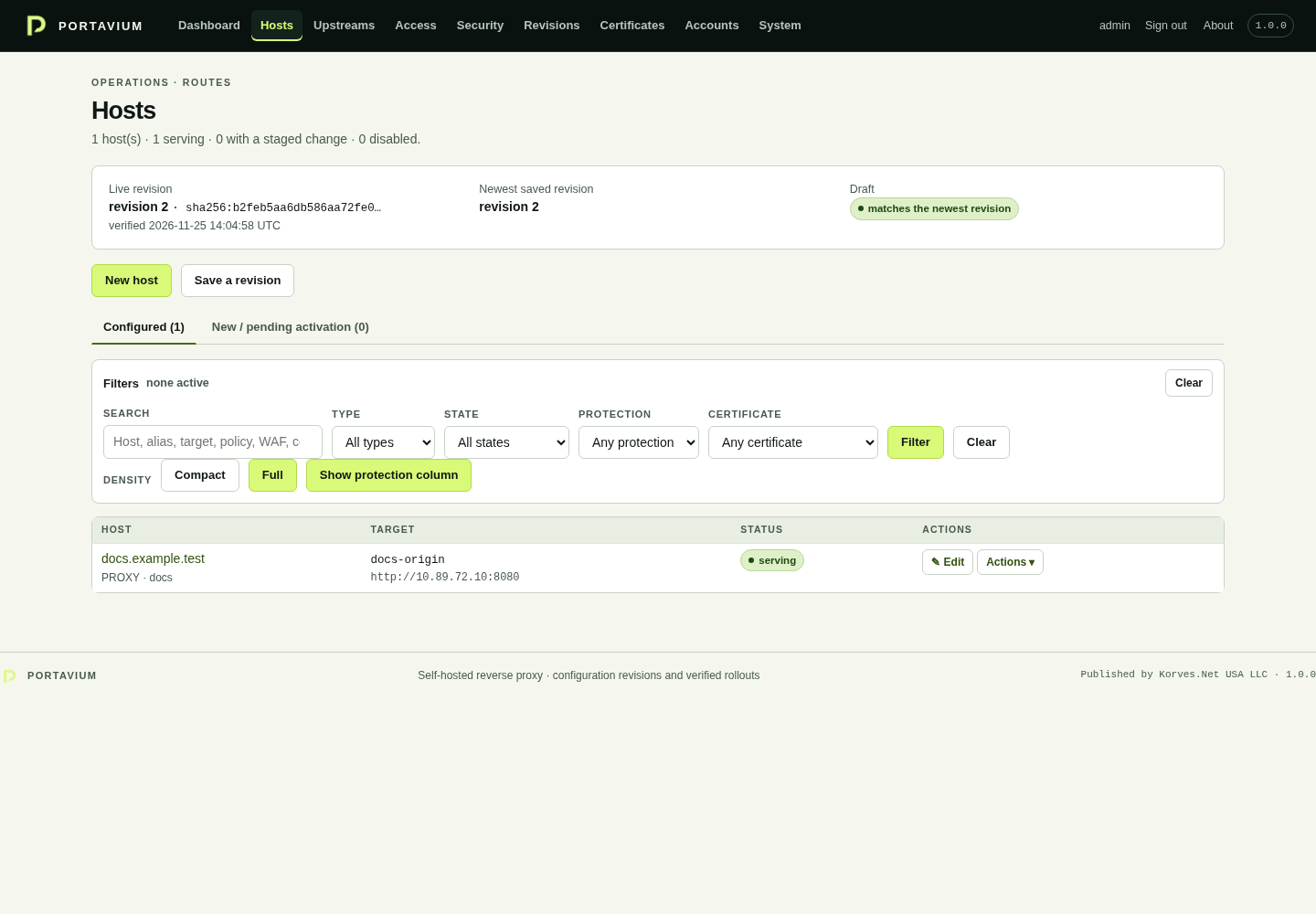
Hosts lists every host name the deployment knows about and the type that decides what happens to a request. Create one with Hosts → New host; edit one by selecting its name.
Host types
| Type | What it does | Required settings |
|---|---|---|
| Proxy host | Terminates TLS and forwards the request to an upstream | Upstream |
| Redirection host | Answers with a redirect to a fixed target | Target URL and status code |
| Dead host | Terminates the name with a fixed status and optional body | Status 404 or 410 |
A host that is not Serving is removed from the compiled routes. Disabling a host is a desired-state change like any other: save a revision and apply it.
Host names
Enter one or more names, one per line. Every name on a host is served by the same route and needs a certificate that covers it. Names are matched exactly; a wildcard certificate covers wildcard names you actually list.
The name in Display name is for the console only. The host names decide what is served.
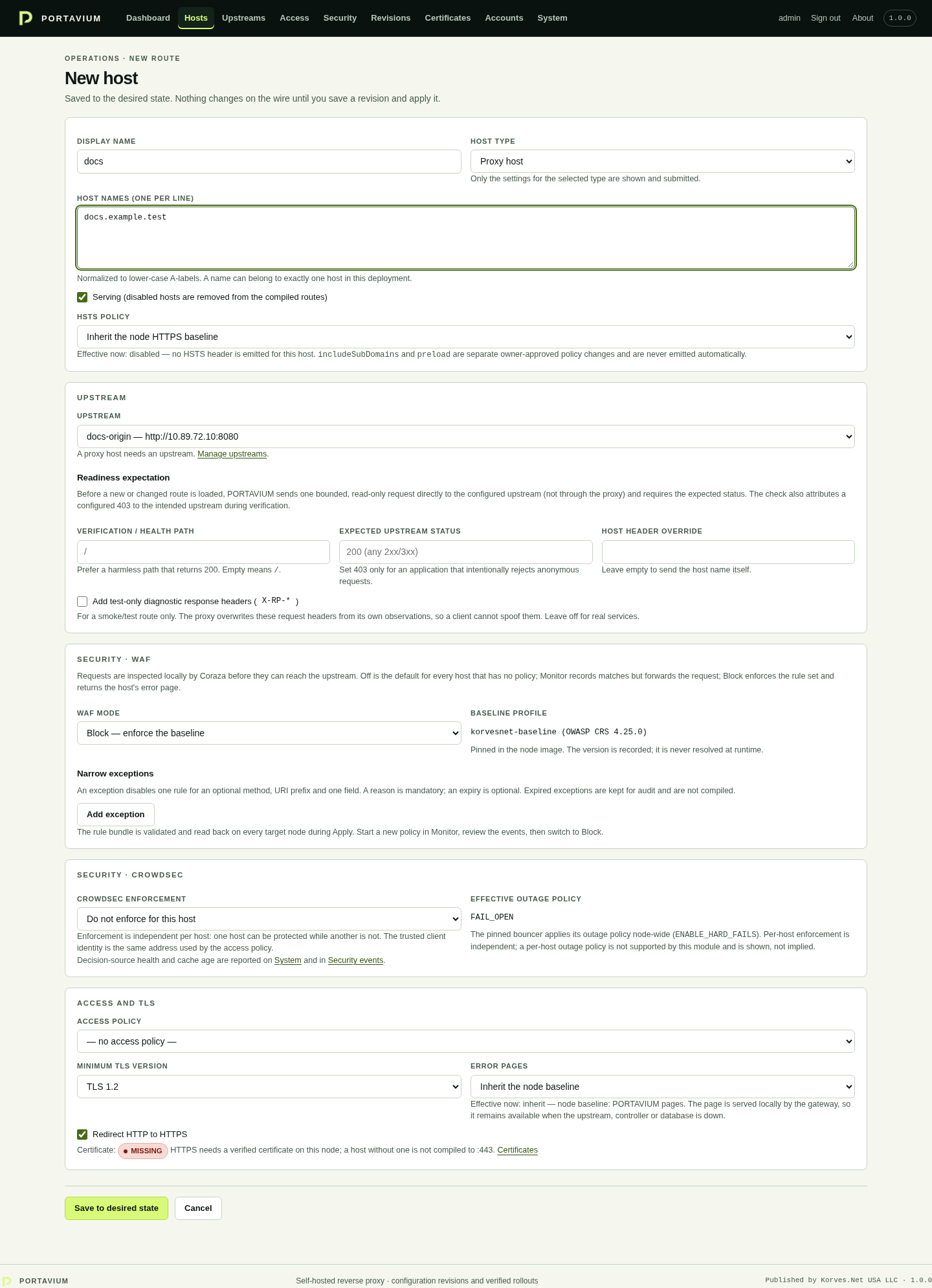
Proxy host settings
- Upstream — the reusable destination (scheme, address, port, timeouts). See Upstreams.
- Readiness expectation — an optional verification path, expected status and
Hostheader override. When set, a candidate revision is not activated while the expected upstream answer cannot be obtained. This is what keeps a broken origin from being published; it is a pre-activation check, not continuous monitoring. - Access policy — inherit the deployment default, no access policy, or a named policy. See Access policies.
- Minimum TLS version —
TLS 1.2orTLS 1.3. - Redirect HTTP to HTTPS — answer port 80 with a redirect to the same name. Keep it on for public services; the ACME HTTP-01 challenge route is separate and still works.
- HSTS policy — inherit the node HTTPS baseline, enabled (
max-age=31536000) or disabled for this host. - Error pages — inherit the node baseline, PORTAVIUM pages or Standard responses. The pages are served by the gateway itself, so they remain available when the upstream, the controller or the database is down.
- Test-only diagnostic headers — adds
X-RP-*request headers from the proxy's own observations and overwrites anything the client sent. Use it on a test name only.
The editor shows the certificate state for the host's names. A host without a ready
certificate is not compiled to port 443; its first Apply succeeds and reports the host
as blocked on certificate until issuance completes.
Redirection host settings
- Target URL — where the request is sent. Preserve path and preserve query append the incoming path and query string to the target.
- Status code —
301,302,307or308. The307/308variants preserve the request method;301/308are permanent and may be cached by clients.
Dead host settings
A dead host answers every request for its names with 404 not found or 410 gone and
an optional short body. Use it to retire a name deliberately without leaving it
unrouted.
Save is not serve
The button at the bottom of the editor is Save to desired state. It stages the change. Nothing is served until you save a revision and apply it — see Revisions and rollback.