Revisions and rollback
A revision is an immutable snapshot of the whole configuration: hosts, upstreams, access policies, certificates and the deployment settings that are compiled into the data plane. Nothing on the wire changes until a revision is applied.
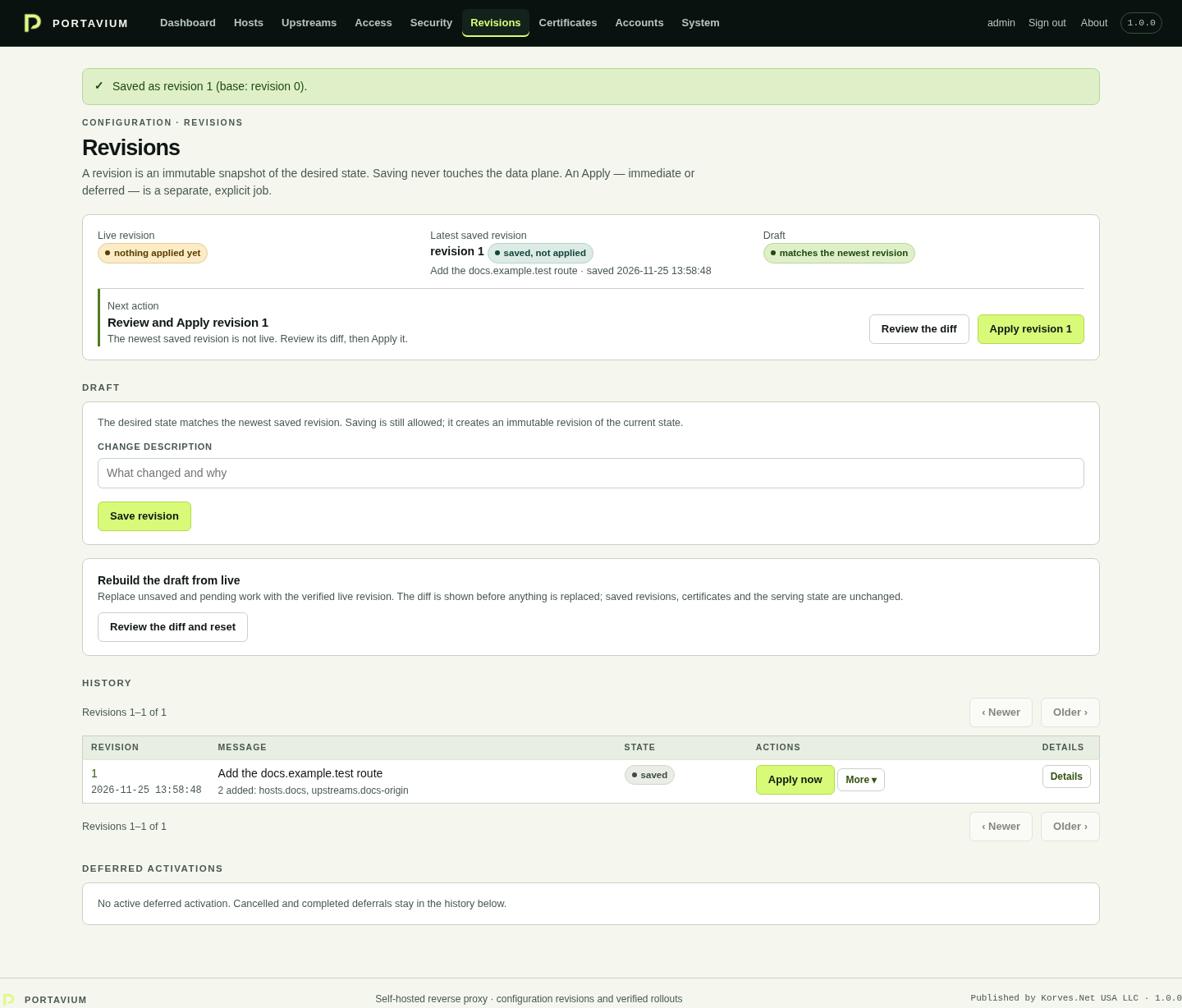
Save a revision
Every editor saves to the draft. When the draft contains the change you want:
- Open Revisions.
- Review the draft diff and the list of changed objects.
- Enter a message that explains the change.
- Select Save revision.
The saved revision appears in the history as a candidate. It is still not serving.
Apply
Select Apply revision next to the candidate — or Apply now in the history. The rollout page reports the job per node and each phase separately:
| Phase | What it proves |
|---|---|
ID_INDEX | route identities are unique and complete |
VALIDATE | the compiled document passes the data plane's own validation |
ACTIVATE | the candidate is loaded |
CONFIG_READBACK | the running configuration matches the candidate |
VERIFY | the published routes answer as expected, on each published family |
The job settles as SUCCEEDED, FAILED, CANCELLED or DEFERRED. A failed activation
never leaves the node half-changed: the previous verified revision keeps serving.
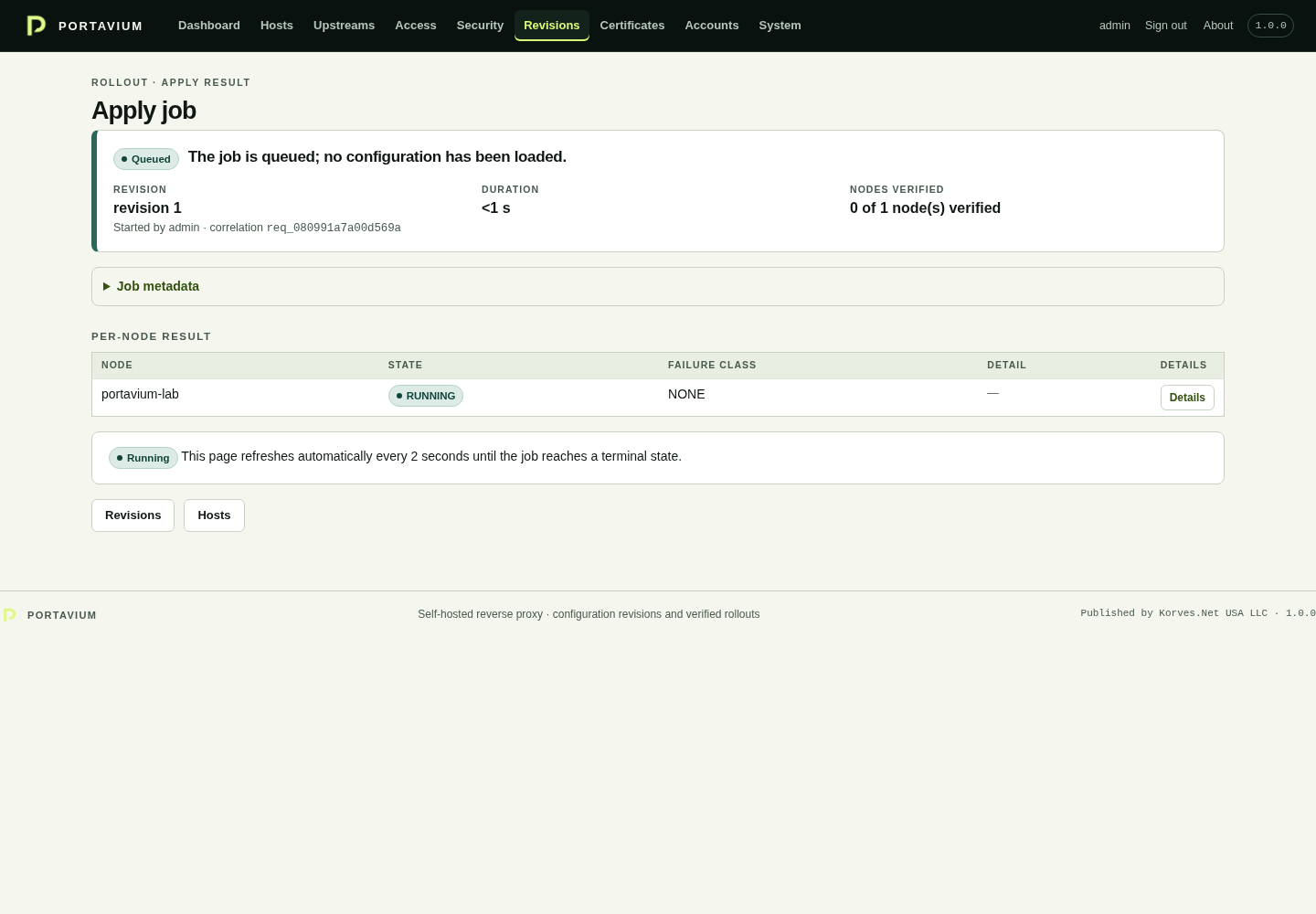
Two checks run before or during activation and appear in the rollout detail:
- Readiness — for hosts that define a verification path, the origin must answer with the expected status before the candidate is activated.
- ACL-aware verification — the verification probe is subject to the host's access policy, so an allow-list is exercised rather than bypassed. The rollout shows the probe, the effective client, the policy and the expected and observed answers.
Roll back
Two independent rollbacks:
- Configuration — Revisions → Roll back to last known-good. This re-applies the previous verified revision through the same compile, validate, activate, read-back and verify pipeline. A bad configuration cannot be left half-applied. Rolling back is recorded as a rollback job and is itself rollback-able.
- Image — return the previous image reference to
.envand redeploy. Data, revisions, certificates and the verified document survive. See Updates.
The Reapply action applies the live revision again without changing it. Use it when the running configuration no longer matches the verified document — for example after a data-plane restart that was not coordinated with the controller.
Deferred activation
An Apply can be deferred when the candidate cannot be activated yet, for example because a name's upstream readiness check has not succeeded. Revisions → Deferred activations shows the queue with the attempt count, the last result and the next attempt.
From there you can:
- Retry now — attempt activation immediately.
- Pause and Resume — stop and restart the retries without losing the entry.
- Start a new draft from live — replace the working draft with the live state after showing the diff, then carry the intended change forward deliberately.
- Cancel — remove the entry from the active queue; the serving revision is unchanged and the history shows that no retry is scheduled.
Delete a revision
Delete revision is offered only for a saved, failed or cancelled candidate that never became a serving or rollback revision. The check runs in the same lock as an Apply. A revision is protected when it is live, when a node lists it as its last verified state, when it is retained as a rollback point, or when another candidate still needs it — the console says which applies.
Deleting removes the configuration snapshot and keeps the minimal attempt and audit references. Revision numbers are not reused, and hosts, upstreams, policies and certificates are untouched.